
Deliberate Data Hygiene: How to Stop Leaking Sensitive Data to AI Assistants
You typed something into an AI you wish you hadn’t. Maybe a bank statement, a screenshot with an account number, a client’s PII. Deleting it feels like enough. It usually isn’t. Here’s how the trust model actually works — and how to build a workflow where the sensitive bytes never leave your machine in the first place.
The Scenario
You upload documents to an AI assistant to get help. Later you realize they contained account numbers, full statements, or someone else’s personal data — none of it redacted. You delete the files. Now the question that should worry you: is it actually gone, and what should you have done instead?
This is a workflow problem, not a one-time mistake. Solve the workflow and the mistake stops happening.
Part 1 — What "deleting" actually does
The uncomfortable truth: once data crosses the network to a provider’s servers, you no longer control it. You control your copy. You’re now trusting the provider’s policy, retention windows, and security posture. Deletion helps, but you cannot cryptographically prove erasure on someone else’s infrastructure.
For Anthropic’s Claude specifically, as of this writing:
- Deleting a conversation removes it from your history immediately, and deleted conversations are purged from back-end systems within about 30 days. Deleted conversations are not used for model training under any circumstance.
- If you opted into "help improve Claude," your data can be retained in de-identified form for up to five years and used for model training — but only for new or resumed chats after you enabled the setting.
- If you opted out (or declined), the 30-day retention period applies and your chats are not used for training.
- Flagged conversations are an exception: content flagged for policy violations can be retained for up to two years.
- Business tiers differ: Claude for Work, Education, Gov, and API access are not covered by the consumer training policy.
Check your own setting at Settings → Privacy (the "Help improve Claude" toggle). Policies change — verify against the provider’s live privacy page, not a blog (including this one).
The honest bottom line: deleting + opting out of training substantially reduces your exposure. It does not give you a mathematical guarantee of erasure. Treat anything you’ve already sent as disclosed to a third party you trust — because that’s exactly what it is.
Part 2 — The trust boundary (the mental model that fixes this)
Draw a line around your own devices and network. That’s your trust boundary. Everything inside it, you control. Everything that crosses it, you’ve delegated to someone else’s promises.
Every privacy decision with AI reduces to one question: does this sensitive data need to cross my trust boundary to get the value I want?
Most of the time, the answer is no. The AI needs the shape of your problem, not your actual account numbers.
Part 3 — What you should never send to a cloud AI
Treat these as "do not transmit" by default:
- Government identifiers: SSN/SIN, driver’s license, passport, national ID numbers.
- Financial account data: full card numbers, bank account/routing numbers, complete statements, login credentials.
- Secrets and keys: passwords, API keys, private keys,
.envfiles, tokens, seed phrases. - Health data (PHI): diagnoses, records, insurance IDs — especially under HIPAA-like regimes.
- Biometric and authentication data: face/fingerprint data, security-question answers, MFA backup codes.
- Precise identity anchors: full DOB + full name + home address in combination, mother’s maiden name.
- Other people’s PII: the one people forget. Uploading a client’s, patient’s, or family member’s data can trigger obligations under GDPR, CCPA, HIPAA, or an NDA. It’s not your data to disclose.
- Proprietary/contractual material: trade secrets, unreleased code, anything under NDA.
Rule of thumb: if leaking it would require a breach notification, it doesn’t go in a consumer AI chat.
Part 4 — The redaction paradox
Your instinct might be: "I’ll paste the document and ask the AI to redact it."
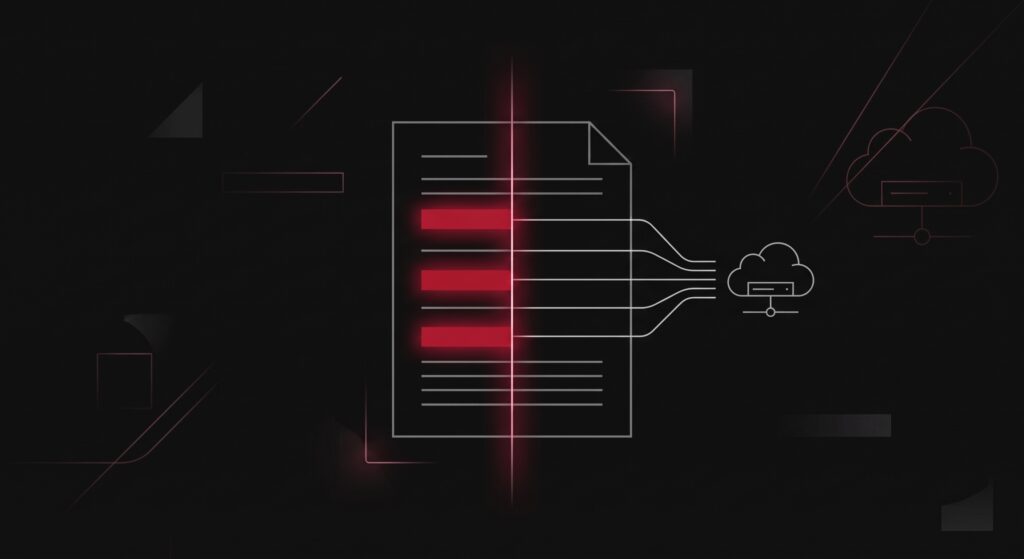
This defeats the entire purpose. The moment you paste it, the unredacted data has already crossed your trust boundary. Asking the cloud model to redact afterward is like shredding a document after mailing the original.
The distinction that matters:
- Client-side (local) redaction — the sensitive data is removed before transmission. It never reaches the server. This works.
- Server-side redaction — you send everything, then ask the remote system to hide parts. The data was already exposed. This does not protect you.
So: no cloud prompt can protect data you’ve already sent. The useful tooling has to run inside your trust boundary.
Part 5 — Redaction done right
If you redact before uploading, do it properly. Amateur redaction leaks constantly:
- The black-box failure. Drawing a black rectangle over text in a PDF or image editor often leaves the underlying text selectable and copyable. True redaction removes the underlying data, then flattens/re-rasterizes so nothing sits beneath the mark. Test it: try to select and copy the "redacted" region; run OCR over the image; open the file in a plain text viewer.
- Metadata leaks. Images carry EXIF (GPS coordinates, device, timestamps). PDFs and Office docs carry author names, revision history, and hidden layers. Strip them:
exiftool -all= file.jpg           # nuke image metadata
qpdf --linearize in.pdf out.pdf # normalize/strip PDF cruft- Prefer substitution over blackout. Replacing a real card number with
[CARD_1]or a fake-but-valid dummy keeps the document useful to the AI while carrying zero real value. Blackouts destroy context; placeholders preserve it. - Keep a local mapping. If you’ll need to re-identify the AI’s output, store the real↔placeholder map in a local file the AI never sees, and substitute the real values back on your machine.
Part 6 — Keep it local: methodologies
1. Pseudonymization with a local mapping
Replace every sensitive token with a stable placeholder before sending; reverse it locally afterward. This is the lowest-friction, highest-value habit. The AI reasons over structure; you never expose values.
2. Deterministic local scrubbing (a real "skill")
Don’t rely on an AI to find PII — use a local, deterministic tool so the detection itself never leaves your machine. Microsoft’s open-source Presidio runs entirely offline and detects and anonymizes common PII. A minimal local scrubber:
# pip install presidio-analyzer presidio-anonymizer
# python -m spacy download en_core_web_lg
from presidio_analyzer import AnalyzerEngine
from presidio_anonymizer import AnonymizerEngine

analyzer = AnalyzerEngine()
anonymizer = AnonymizerEngine()

def scrub(text: str) -> str:
    findings = analyzer.analyze(
        text=text,
        language="en",
        entities=[
            "CREDIT_CARD", "US_SSN", "US_BANK_NUMBER",
            "PERSON", "EMAIL_ADDRESS", "PHONE_NUMBER",
            "LOCATION", "IP_ADDRESS",
        ],
    )
    return anonymizer.anonymize(text=text, analyzer_results=findings).text

if __name__ == "__main__":
    import sys
    print(scrub(sys.stdin.read()))
Run it as a pre-upload filter: cat statement.txt | python scrub.py > safe.txt, then only ever upload safe.txt. Wire it into a Claude Code hook or a shell alias so redaction is automatic, not a thing you remember to do.
Caveat: no automated detector is 100%. Presidio has false negatives, especially on unusual formats and non-US identifiers. Use it as a first pass, then eyeball the output. For images/scanned PDFs you’ll need OCR first (e.g., tesseract) or a true PDF-redaction tool — a covering box is not redaction.
3. Substitute synthetic data
For examples and testing, replace real values with fake-but-structurally-valid ones (a Luhn-valid dummy card, a placeholder SSN). The AI can’t tell the difference for reasoning purposes, and there’s nothing real to leak.
4. Run the AI locally
The strongest guarantee: the model runs on hardware you own, so nothing crosses the boundary at all (see Part 8).
Part 7 — The key insight about "prompts and skills"
People ask for a prompt that protects their privacy. There isn’t one — a prompt runs on the remote server, after your data arrived. The only two things that actually protect you are:
- A local preprocessing step (a script/skill that scrubs before upload), or
- A local model (the whole computation stays on your machine).
A "redaction skill" is only privacy-preserving if it executes inside your trust boundary. If it’s a cloud prompt, it’s hygiene theater.
Part 8 — When to run AI locally
Consider a local model when:
- The data is regulated (PHI, financial, legal-privileged), under NDA, or personally sensitive and you want a hard guarantee rather than a policy promise.
- You need offline / air-gapped operation.
- You’re doing high-volume sensitive preprocessing (bulk redaction, log analysis) where cloud exposure compounds.
How to start (accessible tooling):
- Ollama or LM Studio — one-command install, run open-weight models (Llama, Qwen, Mistral, Gemma, DeepSeek distills) locally.
- Hardware reality: small models (3–8B params) run on a modern laptop or 8–12 GB VRAM GPU; larger ones want 24 GB+ VRAM or Apple Silicon with generous unified memory. If you run a home lab, this is a natural fit.
Trade-offs (be honest with yourself): local open-weight models are meaningfully less capable than frontier cloud models, slower, and need setup and maintenance. The pragmatic pattern is hybrid: run local for anything touching real sensitive data (redaction, PII extraction, first-pass analysis), and send only sanitized material to a cloud model when you need its stronger reasoning.
Part 9 — Incident response: you already uploaded something sensitive
A calm checklist, not a panic:
- Delete the conversation/files from the AI service now.
- Check your training setting and set it to opt out (Settings → Privacy).
- Rotate anything that was a live secret — passwords, API keys, tokens. Assume exposed credentials are burned; change them.
- Card/account numbers can’t be "rotated" cheaply, but they’re low-risk on their own without CVV/credentials. Monitor statements; consider a credit freeze if an SSN was involved.
- If it was someone else’s regulated data, review your notification obligations (GDPR/CCPA/HIPAA/NDA). This is the exposure people underestimate.
- Fix the workflow so it can’t recur — add the local scrubber to your upload path.
Deletion + opt-out gets you most of the way. Credential rotation closes the part deletion can’t.
Best-practices summary
- The sensitive bytes should never cross your trust boundary. Everything else is damage control.
- Redact before you upload, never after. Server-side redaction is not protection.
- Real redaction removes data, not just covers it. Strip metadata. Run the copy-paste/OCR test.
- Substitute, don’t just blackout — keep the document useful, keep a local mapping.
- Automate scrubbing locally with a deterministic tool (Presidio), then verify by eye.
- Never upload other people’s PII — it carries legal weight that isn’t yours to spend.
- Go local for regulated/sensitive/offline work; hybrid for everything else.
- Re-verify provider policies periodically — they change, sometimes quietly.
The safest data is the data you never send. Build the workflow so that’s the default, and a bad day stops being a breach.
References
- Anthropic — Updates to Consumer Terms and Privacy Policy: anthropic.com/news/updates-to-our-consumer-terms
- Anthropic Privacy Center — data retention: privacy.claude.com
- Microsoft Presidio: github.com/microsoft/presidio
- Ollama: ollama.com · LM Studio: lmstudio.ai